
Personal privacy and security
Your phone, laptop and accounts locked down in one session.
Practical privacy for your own devices, network and phone.
Automated attacks and profiling reach everyone, not only targets. A short, practical session closes the gaps that matter most and leaves you knowing how to keep them closed.
Sessions
Written quotes. Remote over an encrypted session or in person in the Hamilton area by arrangement.
Workstation hardening
Full disk encryption, updates, a password manager, two step sign in on the accounts that matter, backups that have been tested by restoring them and a tidy up of what runs at startup.
Home network
Your own firewall in place of the provider box, with separate networks for family devices, guests, cameras and smart gadgets that cannot see each other. Tracker and malware blocking at the DNS level for everything in the house, a look at what each device is talking to, cameras and storage kept local with encrypted remote access from your phone, and monitoring that tells you when something goes offline. Documented, with a guide for adding the next device.
Private travel gateway
A hardened pocket router with forced VPN, kill switch, go dark mode, encrypted key storage and optional cellular uplink, serving wired and wireless devices, configured for your providers with a written guide. Home router version with tracker blocking available.
Hardened phone
A supported phone with a hardened operating system such as GrapheneOS installed and the bootloader locked again, profiles that keep work, banking and tracking apps apart, permissions trimmed app by app, encrypted messaging and tested remote wipe, with a written guide and a plan for the day it is lost. Your own phone where the model allows it, or one I source.
Leave the big cloud
Your photos, files, calendar, contacts, notes and password vault on a small server you own, at home or in Canadian hosting. Synced to your phone and laptop, backed up off site, encrypted and reachable only by you. Includes migrating your existing data out and a written runbook so you can run it yourself.
Hardened laptop
A laptop such as a Lenovo T480 with the Intel Management Engine cleaned out and Libreboot in place of the vendor firmware, running a hardened Linux desktop or Qubes OS. Work, banking, personal and untrusted browsing each live in their own compartment and one bad click stays contained. Built on hardware I source or your own, with a written guide.
Digital footprint cleanup
Old accounts found and closed, exposure in known breaches checked, data broker listings removed, email aliases set up so each service gets its own address and a short list of what to keep an eye on afterwards.
Coaching
An hour or two answering your own questions, without jargon, with a written summary of what to change and why.
Jobs are quoted in writing after a free scope, so you know the number before any work starts.
Your photos and files, on your own server

Alternatives to the big cloud that you host yourself
Most people hand their entire life to one or two companies, every photo, document, contact, calendar entry and password, under terms that change without notice and an account that can be locked with no one to call. The alternatives exist, work well and run on a small, quiet box at home or on Canadian hosting you control.
I set it up end to end. Photo backup from your phone with face and place search, file sync and sharing with family, calendar and contacts, notes, a password vault and automatic encrypted off site backups. I migrate your existing data out of the old accounts, show you how it all works and leave you a written runbook. If you later want it watched and patched, I can do that too, billed for the work.
A private access point you carry with you

Custom privacy focused WiFi gateways
Hotel, cafe and client site WiFi sees every connection you make, and an off the shelf travel router still shows the venue everything. I build small, hardened travel gateways designed differently from the ground up. Your phone, laptop and anything else, wired or wireless, connect to the gateway's own network, and everything leaves through an encrypted tunnel or does not leave at all. It fails closed by design. If the tunnel drops, nothing leaves until it is back.
What sets it apart. A cellular uplink of its own. You never touch the venue network and still get LTE class speed for several devices at once. Two VPN providers stacked for extra separation, switched from a small screen or a terminal. A go dark mode that turns every radio off with one action. Encrypted storage for keys and credentials, unlocked with a PIN at boot, so a lost or seized unit gives up nothing. Nothing on it is registered in your name, and it is built on inexpensive older hardware, so it costs a fraction of a commercial unit and is cheap to replace.
I carry one myself. For a home, the same approach becomes a privacy focused router with ad and tracker blocking and a guest network that cannot see your devices.
A phone that answers to you
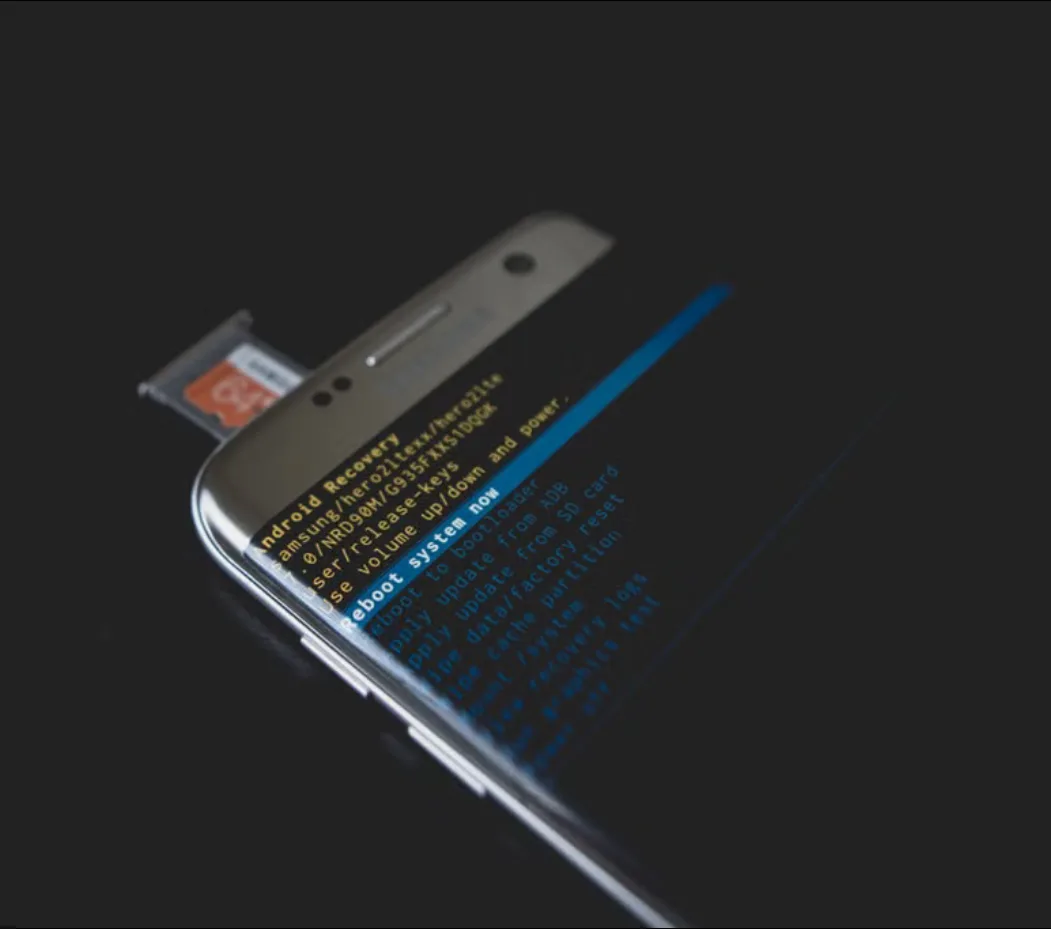
A hardened phone built from a clean install
A phone out of the box reports to its maker, its carrier and every app you install, and most of that cannot be switched off from the settings screen. The fix is to start over. I take a supported phone, unlock it, install a hardened operating system such as GrapheneOS and lock the bootloader again so the phone only boots what I put on it. Then I build it up the way you need it. Separate profiles keep work, banking and the apps that insist on tracking away from each other. Each app gets only the permissions it needs, and the ones that want your location or contacts for no reason get a decoy. Messaging is encrypted end to end, the browser blocks trackers, and the few apps that still need Google services run them in a sandbox with no special access.
Before I hand it back we go through the parts that matter when things go wrong. A strong unlock and a duress PIN that wipes the phone if you are forced to enter it. Remote lock and wipe that you have tested. Encrypted backups that restore onto a replacement in an afternoon. You leave with a written guide for the phone and a plan for the day it is lost, stolen or taken.
A laptop with nothing hidden underneath
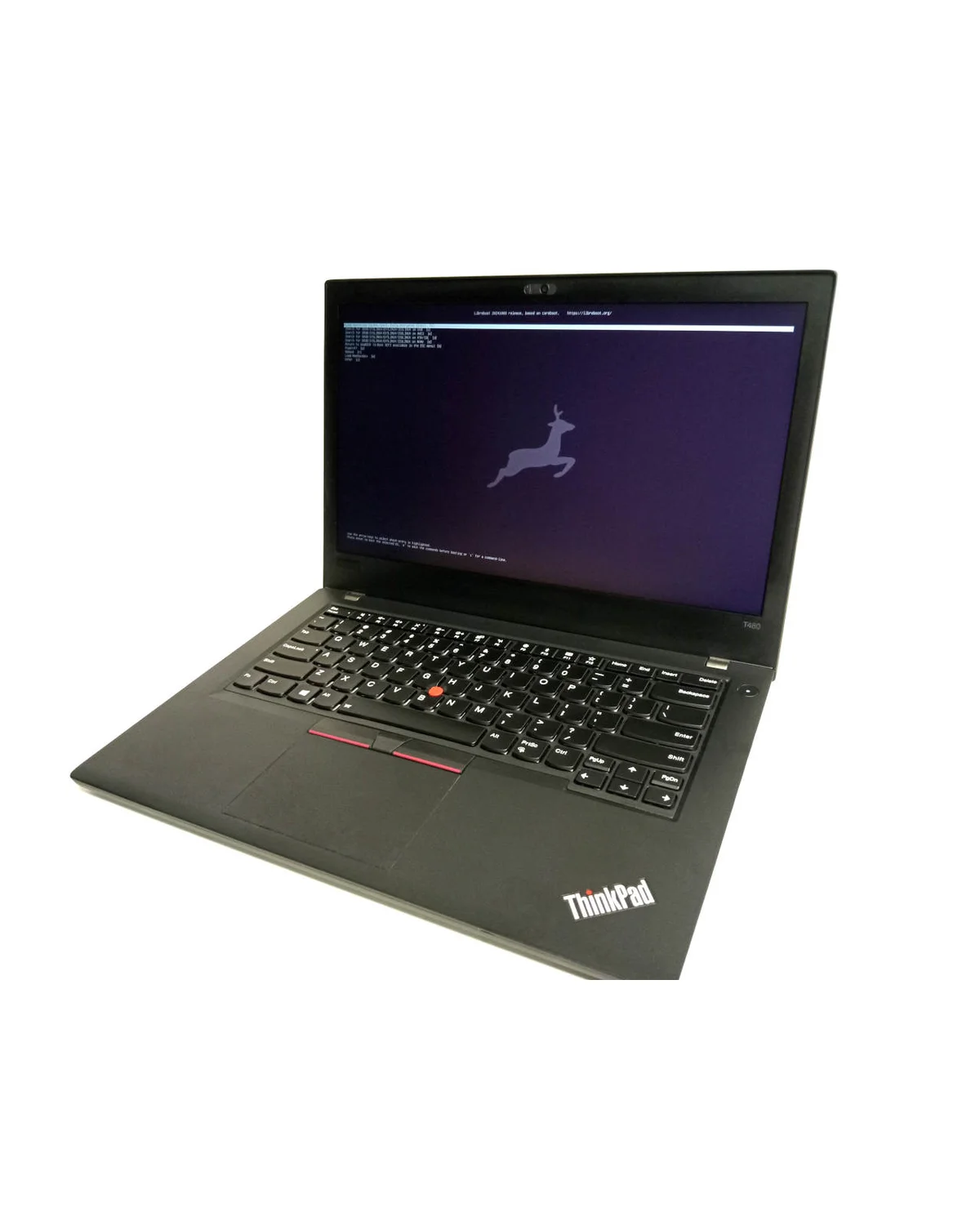
Cleaned hardware, open firmware and a compartmentalised desktop
Every modern laptop ships with a second computer inside the chipset that runs below the operating system, with its own network access and closed code nobody outside the vendor can read. On the right hardware it can be cleaned out. I take machines such as the Lenovo T480, neutralise the Intel Management Engine, replace the vendor firmware with Libreboot and verify the result, then build the desktop on top.
That desktop is either a hardened Linux install tuned for you or Qubes OS, where work, banking, personal accounts and untrusted browsing each run in their own isolated compartment. A bad attachment opened in one cannot see the others. I set up the compartments, the clipboard and file rules between them, USB and network policy, encrypted backups and a recovery path, then show you how to live in it day to day. It is the setup I run myself and the one I recommend to anyone whose laptop holds things worth protecting.
What you leave with
- Encrypted, backed up devices that update themselves
- A laptop with open firmware and a desktop that keeps work, banking and browsing apart
- Accounts protected by a password manager and two step sign in
- A home network where guests and gadgets are kept apart
- A phone running a hardened system that shares less and wipes itself if it has to
- A short written summary you can follow afterwards
- Your photos, files and calendar on a server you own, with encrypted off site backups
- Fewer places your name and email exist, and an alias for each service that still needs one
Related work
We had a need for desktop, video surveillance and data backup support for our business. Viscous Bits has helped us in many ways, having access to their knowledge is like having an IT Support team without having to pay for the cost of keeping employees on site.
- Viscous BitsA private radio network, from firmware upMy own long range radio network. Repeater firmware that relays with no computer attached, a fleet tool that watches every node and handheld messengers and pagers on the same mesh.Read the case study
- JPI Electrical Ltd.One electrical contractor, and all of its ITA website for an industrial electrical contractor, then their computers and email, then time and attendance, then a crane inspection app that replaced paper forms in the field.Read the case study
Want a free external security check first? Request it here.
Book a session
Tell me which device or question matters most.
One encrypted form, written reply within one business day, no sales call.